Your mother has been managing diabetes for ten years. Every morning, she pricks her finger. Every afternoon, again. Before bed, one more time. It’s become so routine that she barely feels the pinpricks anymore—but you notice her avoiding checking her glucose when you visit. The strips are scattered on her nightstand. She’s tired. Not just from diabetes, but from the relentless routine of it all.
What if she didn’t have to do that anymore?
Here’s the truth: diabetes management has changed more in the last five years than it did in the previous two decades. Nearly 1 in 3 adults over the age of 65 in the U.S. is living with diabetes, and that number keeps growing. But the devices available today are nothing like the clunky monitors your parents remember. They’re smarter, easier, and honestly? They give seniors their independence back.
This guide walks you through every device available to older adults right now. More importantly, it cuts through the noise and tells you what actually works, what’s covered by insurance, and how to get started without overwhelming yourself.
What’s Actually New in 2025-2026?
If you haven’t paid attention to diabetes technology in a few years, you’re in for a surprise. The changes have been substantial.
Continuous Glucose Monitors (CGMs) are now the standard of care, not the exception. Continuous glucose monitoring is now the standard of care for many people living with diabetes, and among its numerous benefits, it has been shown to improve glycaemic outcomes and enhance quality of life. The devices themselves are the size of a postage stamp. They stick to your arm. They work for 10-14 days without replacement. And they’ve gotten quiet—literally. No more blaring alarms startling you at 3 AM.
Medicare now covers CGMs as a durable medical equipment (since January 2017), which means most seniors qualify. That’s huge. That’s life-changing.
Insulin pumps have become easier to use. They’re smaller, smarter, and many now connect wirelessly to your smartphone. You don’t even need to carry a separate device to give yourself insulin.
Hybrid closed-loop systems (the “artificial pancreas” technology) are here. These systems automatically adjust your insulin delivery based on your glucose readings. You’re not manually managing every dose anymore.
The bottom line? If you or a loved one stopped paying attention five years ago, everything feels new again—and better.
Types of Diabetes Management Devices: Complete Guide for Beginners
Continuous Glucose Monitors (CGMs): Freedom From Finger Pricks
A CGM is a tiny sensor (about the size of two coins stacked together) that you place on your arm or abdomen. It sits just under your skin and measures your glucose levels every 5-15 minutes, depending on the brand. That data streams to a receiver or your smartphone in real time.
Why seniors love CGMs:
You get readings 288 times a day instead of 4-6 finger pricks. You see trends, not just snapshots. If your glucose is heading down before you feel it, the device alerts you. If it’s climbing after a meal, you know immediately.
Older adults carry a high burden of diabetes and have a high risk of hypoglycemia and hypoglycemic unawareness, and continuous glucose monitoring can help to improve glycemic management in this vulnerable population. CGMs are especially valuable for older adults because they catch dangerous lows—sometimes before you even realize it’s happening.
The setup: You place the sensor on your arm and scan it with a receiver or phone. Newer models don’t even require fingerstick confirmation anymore. You’re done.
How long it lasts: Usually 10-14 days per sensor. Then you replace it. Takes 30 seconds.
The cost reality: Most insurance covers CGMs if you’re on insulin or have frequent lows. Medicare will cover one sensor per month (roughly $300-400 value). Out-of-pocket costs vary widely—$30-150 per sensor if insurance covers part.
Also Read:- Top 10 Best Blood Pressure Monitors for Seniors in 2026 – Accurate, Easy-to-Use Home BP Machines
Insulin Pumps: Continuous Insulin, Simplified Control
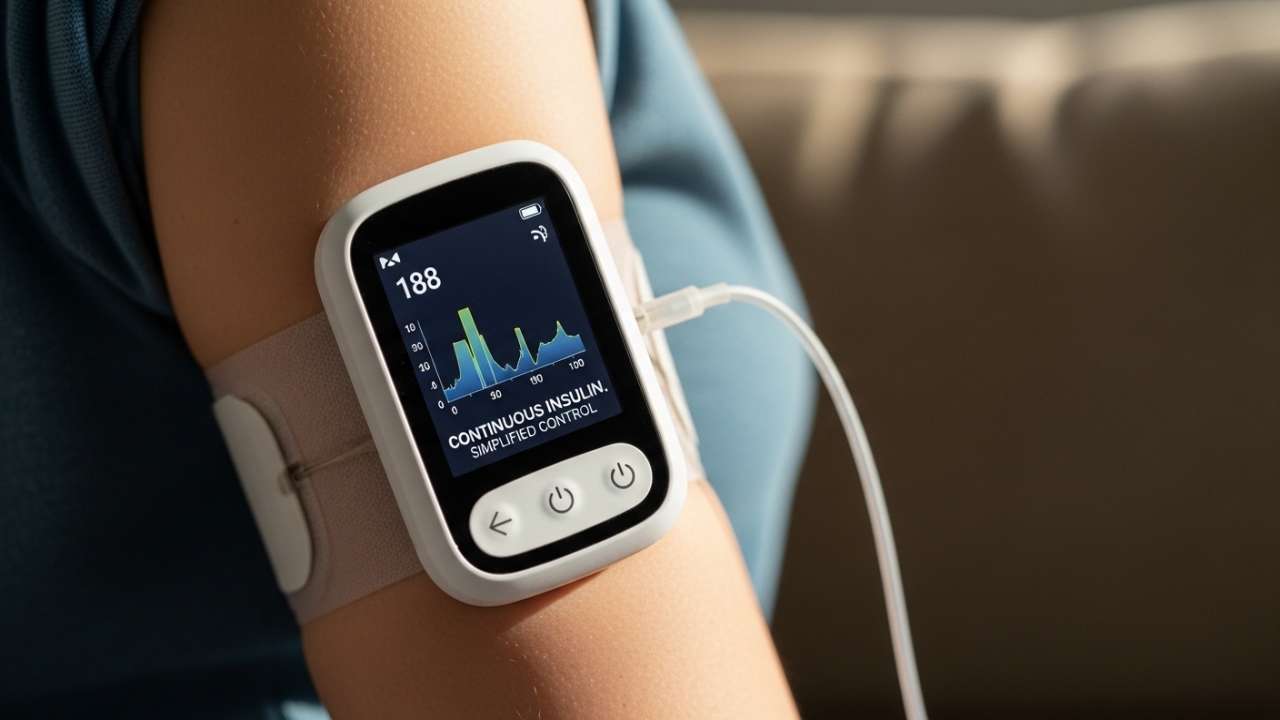
An insulin pump is a small device (about the size of a pager) that delivers insulin continuously throughout the day. It mimics how a healthy pancreas works—delivering a steady baseline amount (called basal insulin) and extra doses when you eat (called bolus insulin).
Why they work for older adults:
If you’re currently taking 4-6 insulin injections per day, a pump reduces that to basically zero. No more counting insulin units and injecting yourself multiple times. The pump does it automatically based on your programming.
Pumps are especially helpful if your routine is unpredictable. Need to skip a meal? Adjust on the fly. Eating less today? The pump adapts instantly. No rushed calculation while your food is getting cold.
The setup: You insert a small catheter (thin plastic tube) under your skin on your abdomen. The pump clips to your belt, pocket, or waistband. You program it based on your insulin needs. Modern pumps are waterproof and can stay on during showers and swimming.
How often you change it: Every 2-3 days you insert a new catheter. The actual pump lasts 4-6 years.
The cost reality: Most insurance covers pumps, but there’s often a deductible. Expect $5,000-10,000 upfront costs, with insurance covering 80-100% depending on your plan. Monthly supplies are typically $200-400 out-of-pocket.
Smart Insulin Pens: The Middle Ground
If you’re taking insulin but don’t want a pump, smart pens are a game-changer. They look like regular insulin pens, but they connect to your smartphone via Bluetooth. The app tracks your doses, reminds you when to inject, and helps you calculate the right amount.
Why they matter for seniors:
You get the simplicity of injections without the mental load of remembering doses or calculating amounts. The pen does the math. It also tracks your injection history, so you’re never wondering “did I take my insulin already?”
The setup: Screw in an insulin cartridge like a regular pen. Pair it with the app. Done.
The cost reality: Most insurances cover smart pens at the same copay as regular insulin pens—usually $35-50 per pen.
Also Read:- Best Health Monitoring Devices for Seniors in USA – Complete Guide 2026
Blood Glucose Meters: The Traditional Foundation
These are the classic devices—you prick your finger, use a tiny drop of blood, and get a reading in 5 seconds. They’re still relevant, especially if you can’t afford or don’t qualify for a CGM.
Modern meters are actually quite senior-friendly:
Larger screens with bigger numbers. Simple one-button operation. Some come with verbal readouts for people with vision problems. Alternate-site testing (testing your arm or palm instead of fingertips) reduces pain.
Thoughtfully designed smart glucose monitors combine simplicity, comfort and modern technology to make blood sugar tracking easier, more accurate and more empowering than ever before. The new ones are nothing like the confusing devices from ten years ago.
The cost reality: These are cheap—usually $10-50 for the meter. Test strips are the ongoing cost: $0.50-1.50 per strip. If you’re checking 4 times daily, that’s $60-180 per month.
Features & Ease of Use
| Device Type | Learning Curve | Finger Pricks Required | Daily Maintenance | Best For | Biggest Challenge |
|---|---|---|---|---|---|
| CGM | Low | Zero after setup | Wear 24/7; replace every 10-14 days | Peace of mind; reducing lows; older T1D patients | Initial cost; sensor adhesion for some |
| Insulin Pump | Medium | No | Change catheter every 2-3 days; program settings | Multiple daily injections; unpredictable routines | Learning to program; always wearing it |
| Smart Insulin Pen | Very Low | No | None between injections; pair phone occasionally | Insulin users who want simplicity | Requires smartphone comfort |
| Blood Glucose Meter | Very Low | Yes (4+ times daily) | Carry strips and lancet; manage supplies | Budget-conscious; supplementing CGM/pump | Frequent finger pricks; snapshot data only |
The Caregiver Angle: Peace of Mind for Adult Children
Let’s be honest: if you’re reading this, you might be the one managing your parent’s care. And that’s stressful.
Here’s what changes when your parent (or spouse) uses modern diabetes technology:
Remote monitoring becomes real. The SHARE application allows the user to share CGM data with up to five designated individuals who can monitor glucose levels remotely on compatible smart devices. You can check your mom’s glucose from your phone. Not constantly, but when you want to. If she has a low that she doesn’t notice, the device alerts you too. You can follow up, make sure she’s okay, and sleep better at night.
Fewer emergency calls. When diabetes is managed well with devices like CGMs, dangerous lows become rarer. You’re not getting panicked calls at work saying “I feel weird, I think my sugar is low.”
Medication adherence improves. When the burden of management is lower, seniors actually stick with their plan. They’re more likely to check their glucose, take their insulin, and follow up with their doctor. It’s not perfect, but the numbers show real improvement.
Doctor visits become more efficient. Modern devices generate reports. Instead of your parent saying “yeah, my blood sugar has been pretty good,” their doctor can see 14 days of actual data. Adjustments are smarter. Follow-ups are faster.
You get time back. Managing someone else’s diabetes is mentally exhausting. You’re calculating doses, remembering check times, managing prescriptions. Technology doesn’t eliminate that, but it reduces it significantly.
Also Read:- Best Medical Alert Systems for Seniors 2026 | Reviewed & Compared
The Cost Breakdown: What Insurance Actually Covers
This is the conversation nobody wants to have, but it’s crucial. Here’s the real deal on what you’ll actually pay.
Medicare Coverage (For Adults 65+)
CGM Devices:
- Medicare covers continuous glucose monitoring as durable medical equipment
- You need a prescription from your doctor AND documented proof that you’re on insulin or experiencing frequent lows
- Approved brands include: Dexcom G6, Freestyle Libre 2, Medtronic Guardian
- Coverage: ~95% (you pay 5% coinsurance after deductible)
- Monthly cost to you: $15-50 if you have Part B
Insulin Pumps:
- Medicare covers insulin pumps for people with Type 1 diabetes and some Type 2 cases
- Again, requires prescription and documented medical necessity
- Must use an FDA-approved brand
- Coverage: ~80% after you meet your deductible
- Your out-of-pocket cost depends on your deductible and coinsurance
Blood Glucose Meters & Strips:
- Covered under Medicare Part B
- You pay 20% after deductible
- Limit: Medicare covers up to 3 blood glucose tests per day (more if on insulin)
Private Insurance Coverage
This varies wildly. Call your insurance before buying anything. But generally:
- Most commercial plans cover CGMs if you meet medical criteria
- Insulin pumps are usually covered with prior authorization
- Copays typically range from $0-75 per device, depending on your plan
- Many plans have annual maximums—sometimes you hit them and have to pay out-of-pocket
What You Actually Pay (Annual Estimates)
| Device Type | Uninsured Cost | With Medicare | With Commercial Insurance | Notes |
|---|---|---|---|---|
| CGM (Dexcom G6) | $3,500-4,500 | $300-600 | $200-1,200 | Depends on number of sensors |
| CGM (Freestyle Libre) | $2,800-3,200 | $250-500 | $150-900 | Cheaper than Dexcom; more people qualify |
| Insulin Pump | $8,000-12,000 | $1,500-3,000 | $1,000-4,000 | High upfront; supplies ongoing |
| Smart Insulin Pen | $100-300/year | ~$150/year | ~$100/year | Cheapest tech option; still requires insulin |
| Blood Glucose Meter | $600-1,200 | $200-400 | $150-500 | Ongoing strip costs are the burden |
Pro tip: Ask your doctor’s office about patient assistance programs. Most device manufacturers (Dexcom, Abbott, Medtronic, etc.) offer programs for people who can’t afford copays. You often qualify even if you have insurance.
Also Read:- GPS Tracking in The Villages, Florida: Senior Safety Complete Guide for Active Retirees
Getting Started: Your Step-by-Step Setup Guide
This is where most articles fall short. They tell you WHAT to do but not HOW. Let’s fix that.
Step 1: Talk to Your Doctor (Week 1)
Don’t just buy something. Your doctor needs to know you’re interested in a device. They’ll assess:
- What type of diabetes do you have?
- Are you on insulin?
- How often are you experiencing lows?
- Do you have the cognitive ability to use the device?
- Are your hands steady enough?
Your doctor might recommend a specific device. Listen. They see your actual lab results and know your situation better than an article.
Step 2: Check Your Insurance Coverage (Week 1-2)
Call your insurance company directly. Ask these exact questions:
“Do you cover continuous glucose monitors?” → Get the specific brands covered “What’s my copay?” → Know what you’re actually paying “Do I need prior authorization?” → Find out if your doctor needs to submit paperwork “What’s my annual deductible?” → Plan your timing “Is there a quantity limit?” → Some plans only cover 1-2 sensors per month
Write down the answers. Seriously.
Step 3: Get the Prescription (Week 2-3)
Ask your doctor for a prescription for the device your insurance covers. Ask for:
- The specific brand and model (not just “CGM”)
- Enough quantity to cover a year of use (so you don’t run out)
- A note about medical necessity for your insurance
Your doctor’s office might handle submitting the prior authorization to insurance. Ask.
Step 4: Order Your Supplies (Week 3-4)
You can order directly from the manufacturer, from medical supply companies, or from your pharmacy. Options include:
- Manufacturer directly: Dexcom.com, FreeStyle.com (Abbott), Medtronic.com → Usually get tech support built-in
- DME suppliers: Companies that specialize in medical equipment → Often more patient-friendly on billing
- Your pharmacy: Simpler if you’re already getting insulin there → Consolidated bills
Ask about shipping. Most devices arrive within 3-5 business days.
Step 5: Watch the Setup Video & Practice (Week 4)
Before you use it on yourself, watch the manufacturer’s setup video. Most are 5-10 minutes. Pause. Rewind. Watch again if needed.
Many devices come with practice applicators. Use them. Apply to your arm in the bathroom. Get comfortable with the motion. The first time shouldn’t be stressful.
Call tech support if you’re confused. That’s what they’re there for. It’s free.
Step 6: Place Your First Sensor (Week 4-5)
Pick a calm day. No rushing. No stress. Have your phone charged and nearby.
Follow the instructions exactly. The application process usually takes 30 seconds. After you insert it, you might wait 2 hours for it to start reading. That’s normal—it’s calibrating.
Some people get nervous about the sensor staying on during showers. It will. Most CGM sensors are waterproof to 3 meters of depth.
Step 7: Learn Your Device’s Alarms (Week 5-6)
Spend a week just learning how the alarms work. What does a low alert sound like? A high alert? How do you turn them off? Where are the buttons?
This is important. You don’t want to discover the alarm system during an actual emergency.
Step 8: Follow Up With Your Doctor (Month 2)
After 4 weeks of data, schedule a follow-up. Your doctor can see trends and make adjustments to your insulin if needed. This is when the device really starts paying dividends.
Real Challenges Seniors Face (And How to Handle Them)
This is the section most articles skip. They make everything sound perfect. It’s not. Here are the real issues people encounter.
Challenge #1: “The Sensor Keeps Falling Off”
The reality: Some people’s skin is naturally oily or dry. Some live in humid climates. Some move around a lot. Occasionally, sensors stick poorly.
How to fix it: Ask your device manufacturer about adhesive patches or overlays. They’re cheap (usually $0-5) and make sensors stick way better. Some people use waterproof sports tape underneath. Talk to your doctor if you’re consistently having issues—you might need a different brand.
Challenge #2: “I Don’t Trust the Readings”
The reality: New CGM users often get anxious because the readings don’t match how they feel. You feel low but the CGM says you’re fine. Or vice versa.
Here’s the truth: CGM measures glucose in your interstitial fluid (the fluid between your cells). Your bloodstream glucose is different and reacts faster. There’s usually a 5-15 minute lag. Also, if you just ate or just exercised, things are chaotic and readings can be delayed.
How to fix it: Use a fingerstick meter to compare occasionally, especially when you’re confused. After a few weeks, you’ll learn to trust the device. Your body adjusts.
Challenge #3: “The Alerts Are Driving Me Crazy”
The reality: Some seniors set alarms that are way too sensitive. You get alerts every five minutes about minor changes. It’s exhausting.
How to fix it: Spend time with your device settings. Set reasonable alert thresholds (maybe alert when you’re below 80 or above 240, not at 90 or 200). You can also turn off certain alerts at certain times. Most devices let you sleep from midnight to 6 AM without alerts, for example.
Challenge #4: “My Hands Are Shaky—I Can’t Use an Insulin Pump”
The reality: If you have Parkinson’s, essential tremor, or arthritis, holding a pen or programming a pump seems impossible.
How to fix it: Talk to your doctor about adaptive tools. Some smart pens have larger grips. Some pumps have simplified programming. And honestly? A CGM combined with a simple insulin regimen (maybe just one or two daily injections) might be better than trying to manage a complex pump.
Challenge #5: “The Cost Is Still Too High”
The reality: Even with insurance, diabetes technology isn’t cheap.
How to fix it: Look into manufacturer patient assistance programs immediately. Dexcom, Abbott, and Medtronic all have programs. You might qualify even if you have insurance. Also check for state-level programs—some states subsidize devices for uninsured seniors.
What’s Coming in 2025-2026: The Emerging Technologies
The future is closer than you think.
Wearable devices — Technologies such as smart rings contain sensors that track the physiological signs of a patient, such as heart rate and skin temperature, which may be factors related to diabetes management and control for both type 1 and type 2 diabetes. Imagine a diabetes-tracking ring you wear like a regular wedding band. Some companies are working on that.
Non-invasive glucose monitors are moving out of the lab and into clinical trials. No sensors under the skin. No finger pricks. Just optical sensors that read your glucose through your skin. We’re not there yet, but it’s coming.
Hybrid closed-loop systems (artificial pancreas technology) keep getting smarter. The newest versions from Medtronic and others adjust your insulin delivery based on meal timing and exercise predictions. You’re not just reacting to high blood sugar—you’re preventing it.
AI-powered apps that learn your patterns are becoming standard. The system knows that you always dip low at 3 PM on Tuesdays after your Tuesday morning cardio. It starts preparing insulin adjustment an hour before you need it.
The bottom line: if you’re hesitant about today’s technology because it seems complicated, know that it’s only getting easier.
Also Read:- Medical Alert Systems The Villages Florida: The Complete 2026 Guide for Active Villagers
FAQ: Real Questions Real Seniors Ask
Can I use a CGM with my pacemaker?
Most modern CGMs are compatible with pacemakers, but check with your cardiologist. Your pacemaker might have specific magnetic or electromagnetic limitations. Don’t guess on this—ask your doctors before you buy.
Will my Medicare change if I use a CGM?
No. Using a device doesn’t change your Medicare benefits or eligibility. It’s covered as durable medical equipment, separate from your regular medical services.
What if I’m allergic to adhesives? Can I still use a CGM?
Some people react to sensor adhesive. Talk to your doctor about hypoallergenic patches or medical tape that sits between your skin and the sensor. You might also try different sensor placement locations—your arm vs. your abdomen, for example. And some device manufacturers are working on non-adhesive options.
Can my grandchildren see my glucose readings?
Only if you allow them to. You control who gets access to your data. Most systems let you share with up to 5 designated people, and you can add or remove people anytime. Your kids can see it. Your grandkids? Only if you invite them specifically.
How private is my glucose data? Can my insurance see it?
Insurance companies can see your data if you’re using it to justify coverage (which is how they approved the device in the first place). But you can often adjust settings to limit what they see beyond that. Manufacturers are pretty strict about privacy—they have HIPAA compliance and strong data security. That said, always read the privacy policy.
I have severe arthritis in my hands. Can I still use insulin technology?
Yes, with adaptations. Smart pens have larger grips. Pen holders can stabilize your hand. Some people have family members help with setup (you can do your own injections; someone helps with the tech part). Talk to your doctor about simplifying your regimen. A well-managed CGM + one or two daily injections might be better than a complex pump you can’t physically manage.
What happens if my sensor gets wet?
Most modern CGM sensors are waterproof (rated to several meters depth). You can shower, swim, even run in the rain. But sustained submersion (like diving or a long bath) can cause issues. Check your device’s specific water resistance rating. Also, adhesive patches designed for sports make sensors more water-resistant.
Final Thoughts: The Independence Factor
Here’s what the statistics don’t capture: the feeling of waking up without dreading your morning finger prick. The confidence of knowing your glucose is safe instead of spending an hour worried after your workout. The ability to go out with friends without carrying a bag full of diabetes supplies.
That’s what these devices actually give you. They give you your life back.
In older adults with either T1D or T2D using CGM, rtCGM users had fewer moderate and severe hypoglycemic episodes, and greater reductions in severe hypoglycemia compared to non CGM users. The rtCGM users also reported significantly better well-being, less hypoglycemic fear, and less diabetes distress than non CGM users.
Less fear. Less distress. Better well-being. That matters more than any statistic.
Your Next Steps
- Schedule an appointment with your diabetes care provider and mention that you’re interested in exploring device options.
- Call your insurance company and ask what’s covered. Write down the answers.
- Visit the manufacturer websites (Dexcom.com, FreeStyle.com, Medtronic.com) and request patient information packets. Most send them free via mail.
- Join online diabetes communities (like Reddit’s r/diabetes or Facebook groups for seniors with diabetes). Talk to people who’ve actually used these devices. Their real-world experiences are incredibly valuable.
- Give yourself grace if the first device isn’t perfect. Many people try one device, adjust settings or brands, and find what works better. It’s not a permanent decision.
Your diabetes is complex. Your life is yours to live. The technology exists to make managing diabetes easier, not harder. Find the right device for you, and reclaim the independence you deserve.