Why Digital Health Records Matter for Seniors: The Game-Changer Nobody Talks About
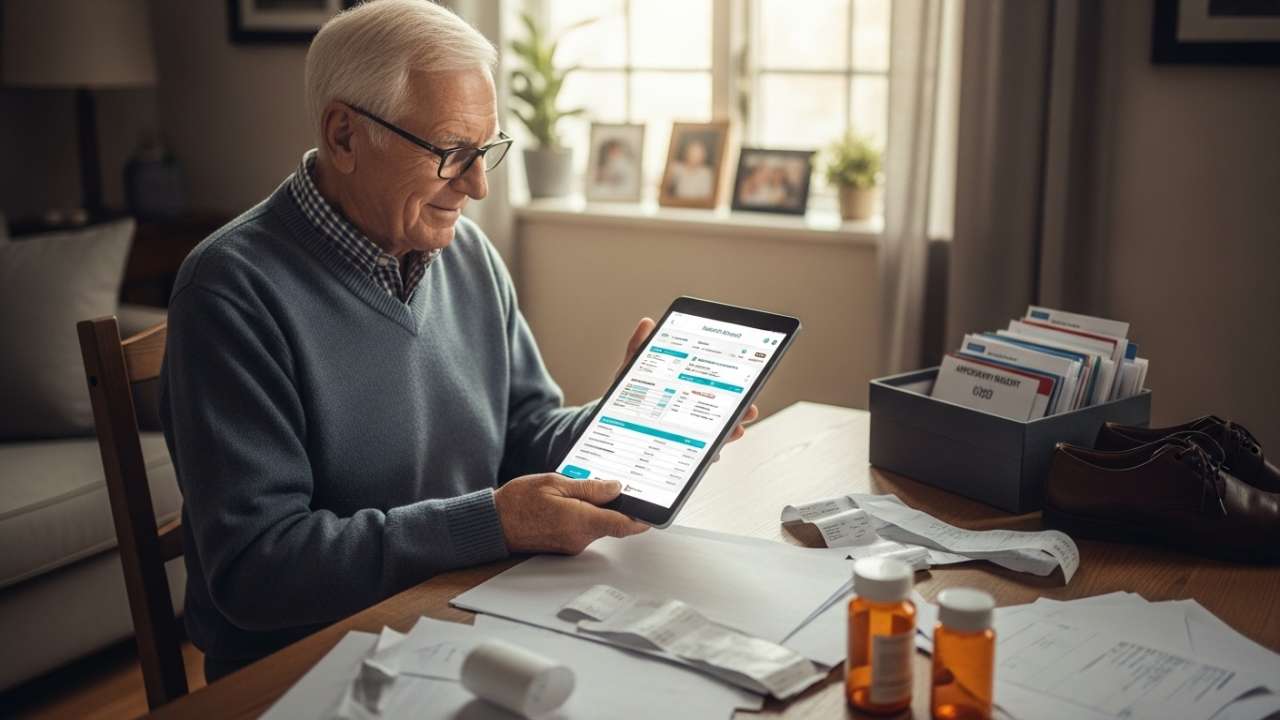
My 78-year-old father sat across my desk last Tuesday with a shoebox full of medical receipts, appointment cards, and prescription bottles scattered everywhere. “I can’t remember which doctor said what,” he muttered, flipping through papers. Here’s the thing nobody tells you about aging: your body gets more complex, but your memory doesn’t. That’s when I realized how many seniors are drowning in paperwork instead of focusing on what actually matters—their health.
Digital health record apps aren’t just fancy gadgets. They’re lifelines. Think about it: the average senior takes 4.5 prescription medications daily. They see multiple specialists—cardiologists, endocrinologists, physical therapists. Each doctor has separate records. When you land in an emergency room at 2 AM, those fragmented files can literally cost you your life.
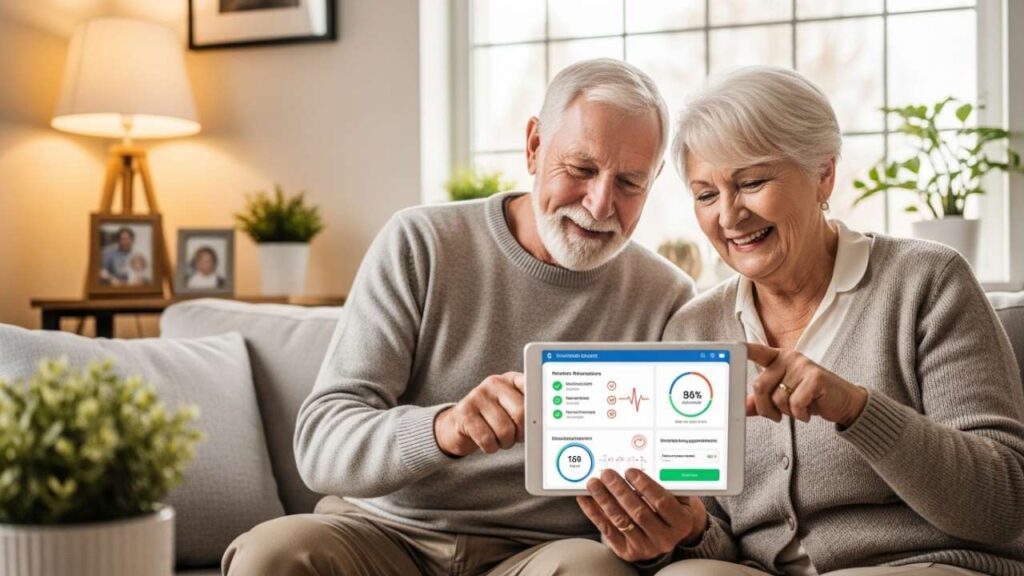
Organizing your medical records digitally changes everything. You get instant access to your complete health history. Your doctors can see everything in seconds. You avoid duplicate tests that cost thousands. Most importantly, in emergencies, first responders access your allergies, blood type, and chronic conditions within moments. That’s the difference between proper care and guesswork.
But here’s the catch: not all health record apps are created equal. Some are too complicated. Others lack security. A few actually work seamlessly. I’ve tested the major players, analyzed what seniors actually need, and broken down the best options below.
What Makes a Great Health Record App for Seniors?
Before diving into specific apps, let’s talk about what separates the good from the useless.
Ease of Use
Senior-friendly doesn’t mean dumbed down. It means large fonts, clear buttons, and navigation that doesn’t require a computer science degree. The interface should feel natural, not condescending. You should find what you need in two taps, not five.
Security & Privacy
Your health data is your most sensitive information. HIPAA compliance isn’t optional—it’s non-negotiable. The app must encrypt data in transit and at rest. Two-factor authentication should be available. You should control who accesses your records, period.
Integration with Wearables & Devices
Modern seniors use fitness trackers, blood pressure monitors, glucose meters, and smartwatches. The best apps sync this data automatically. Your blood pressure readings, heart rate, sleep patterns, and activity levels should flow into one dashboard without manual entry.
Medication Management & Reminders
The #1 reason seniors end up in hospitals? Medication errors. Missing doses, drug interactions, mixing up schedules. A solid app sends reminders, tracks adherence, warns about interactions, and lets family members know if a dose gets missed.
Doctor Communication
You should message your doctor, share records, ask follow-up questions—all within the app. No more playing phone tag or scheduling appointments by calling offices.
Family Access & Multiple Profiles
Many seniors need caregivers involved. The app should let you grant family members access without compromising privacy. You should also manage multiple family members’ health from one account.
Top 5 Health Record Apps for Seniors (2026)
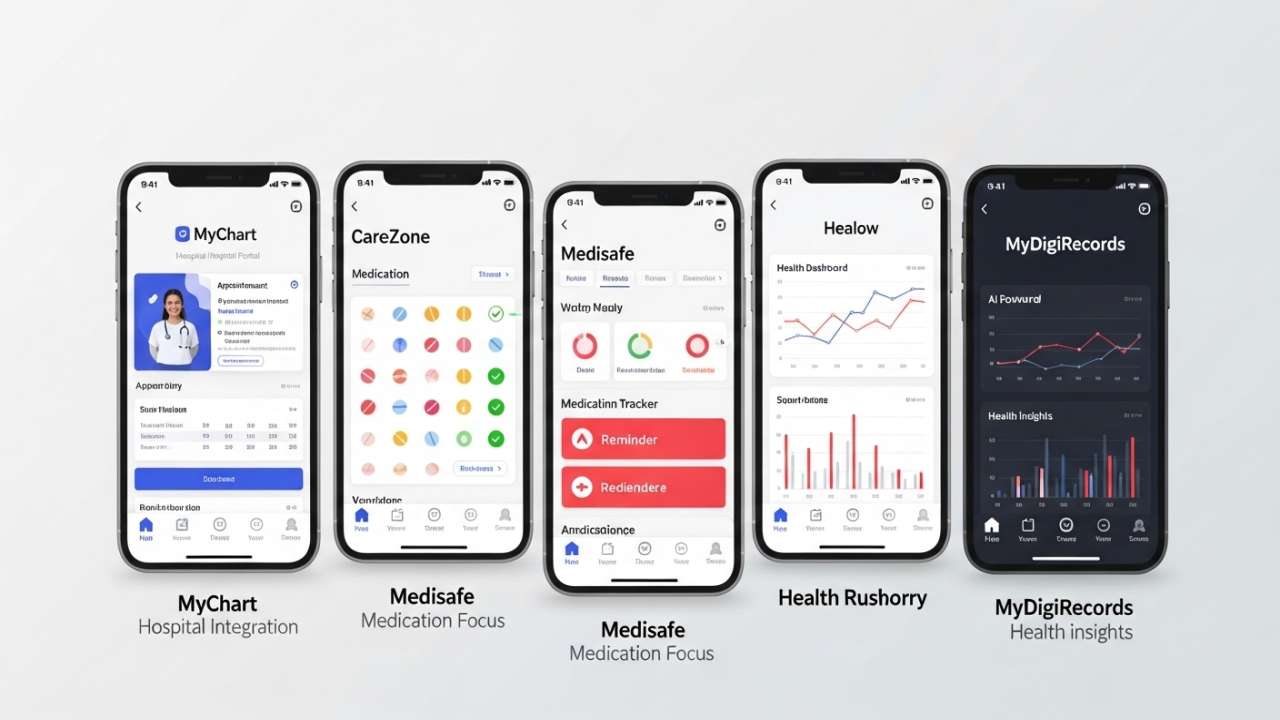
1. MyChart: The Gold Standard for Hospital Integration
Best For: Seniors with established healthcare providers, families managing multiple people
MyChart is the patient portal that healthcare providers actually use. Over 100,000 healthcare providers participate, which is the real differentiator here.
What You Get:
- View electronic health records from all participating providers in one place
- Schedule and reschedule appointments instantly
- Refill prescriptions without calling the pharmacy
- Message your healthcare team
- Access test results and lab work immediately—no waiting for calls
- View medication history and vaccination records
- Pay bills and check claims
- Transfer medical records between providers automatically
- Add family members to your account
User Interface: Clean, hospital-standard design. Not the prettiest, but it works. Large text options. Intuitive for both tech-savvy seniors and beginners.
Security: HIPAA-compliant. Two-factor authentication available. Encryption standard. Your provider controls what you see based on their system permissions.
What Seniors Love: “Everything’s in one place. I don’t have to call three different offices to find out what my last blood work said.” – Margaret, 72
Real Talk: The biggest limitation: your healthcare provider must use MyChart. If they don’t, you’re out of luck. Some users report app glitches when updating information or retrieving messages. Doesn’t integrate with fitness trackers or personal health devices—it’s provider-focused only.
Cost: Free
Available On: iOS, Android, Web
2. CareZone: The Swiss Army Knife for Family Health Management
Best For: Families managing multiple seniors, medication-heavy situations, coordinated caregiving
CareZone is the app I recommend most often. Here’s why: it does three things exceptionally well—medications, records, and family coordination.
What You Get:
- Medication tracker with reminders (customize frequency, time of day, dosage)
- Medication interaction checker
- Automatic refill tracking and notifications
- Medical records storage and organization
- Health metric tracking (blood pressure, weight, blood sugar, etc.)
- Symptom journal
- Doctor visit notes storage
- Family sharing and caregiver alerts
- Insurance information storage
- Prescription cost comparison
- Care coordination between family members
User Interface: Deliberately simple. Medication section is the centerpiece—you see today’s pills immediately. Large buttons. Color-coded reminders. Caregivers get their own clean dashboard.
Security: HIPAA-compliant. Encrypted storage. Password-protected with option for fingerprint/face recognition. You control exactly who sees what.
What Seniors Love: “My daughter gets a notification if I miss my morning pills. I don’t have to text her. She just checks the app.” – Robert, 76
“I finally have all my prescriptions in one place. When I see a new doctor, I just show them my CareZone list instead of fumbling through bottles.” – Susan, 81
Caregiver Love: Family members see medication adherence, get alerts for missed doses, and can coordinate who’s handling doctor visits. No more “did you take your medication?” phone calls.
Real Talk: Doesn’t integrate with hospital portals automatically. You manually add information. Doesn’t sync with wearables (yet—they’re working on this). Some features require premium (caregiver alerts are in the free version, but advanced analytics cost money).
Cost: Free (basic), Premium plans available for advanced features
Available On: iOS, Android, Web
3. Healow: The Powerhouse for Consolidated Medical Records
Best For: Seniors managing chronic conditions, frequent doctor visits, and coordination between specialists
Healow connects with over 100,000 healthcare providers. If MyChart seems limiting and you want more flexibility, this is the upgrade.
What You Get:
- Access to electronic health records from all participating providers
- Automatic consolidation of records from multiple hospitals and clinics
- Online appointment scheduling across providers
- Medication reminders
- Activity tracking (steps, calories, sleep)
- Health analytics and trend tracking
- Doctor messaging
- Medical record transfer capabilities
- Add family members (spouse, adult children) to your account
- Specialized Healow Kids and Healow Mom for family health tracking
User Interface: Modern, clean design. Dashboard shows your health snapshot. Medication adherence tracking is visual (green checkmarks = taken). Test results are organized by type and date.
Security: HIPAA-compliant. End-to-end encryption. Multi-factor authentication. You control caregiver access granularly.
What Seniors Love: “I see three different specialists. For the first time, all my records are actually in one place. My cardiologist can see what my endocrinologist noted.” – David, 74
“The analytics show me trends. I can see my blood pressure dropping since I started the new medication. That’s motivating.” – Patricia, 79
Real Talk: Your provider must participate in the Healow network. Not all do yet. Some users report app errors, especially when correcting information or retrieving messages. Integration with fitness trackers is limited.
Cost: Free
Available On: iOS, Android, Web
4. Medisafe: The Medication Management Specialist
Best For: Seniors on multiple medications, anyone with complex medication schedules, medication safety
Medisafe has 7+ million users for a reason. If medication management is your primary concern, this is the expert.
What You Get:
- Medication reminder system (customize times, frequency, dosage)
- Drug interaction checker
- Medication side effects database
- Allergy and contraindication warnings
- Medication adherence tracking with visual indicators
- Family member notifications for missed doses
- Refill reminders
- Doctor medication list (share your complete medication profile)
- Health metric tracking (blood pressure, weight, blood sugar)
- Insurance and pharmacy information storage
- Integration with pharmacy partners for price comparisons
User Interface: Beautiful and intuitive. Your medication schedule appears at the top with large, easy-to-tap buttons. Taking a medication is literally one tap. Visual feedback confirms you completed it.
Security: HIPAA-compliant. Encrypted. Two-factor authentication. Family members can’t see your full records—only medication adherence (which is the point).
What Seniors Love: “The reminders actually work. My phone vibrates, and I see exactly which pill to take with a clear picture. No confusion.” – Helen, 77
“My kids check the app to make sure I’m taking my heart medication. They don’t nag me. They just see I’m doing it.” – George, 82
“The interaction checker saved me. When my new doctor prescribed something, Medisafe flagged it conflicted with my blood pressure medicine. Called the doctor immediately.” – Debra, 80
Real Talk: Medisafe is hyper-focused on medications. It doesn’t replace a full health record app. You still need somewhere to store doctor notes, test results, and medical history. But for medication management specifically, it’s unmatched.
Cost: Free (core features), Premium for advanced features
Available On: iOS, Android, Web
5. MyDigiRecords (MDR): The AI-Powered Newcomer
Best For: Tech-comfortable seniors, those wanting AI health insights, family health coordination
MyDigiRecords is newer but gaining traction fast. The AI component is genuinely useful—not gimmicky.
What You Get:
- AI chat assistant for health questions and symptom explanations
- Medical record digitization and storage
- Medication tracking and reminders (works offline)
- Interactive health dashboards with charts and trends
- Blood pressure, heart rate, glucose, and weight tracking
- Lab results organization and analysis
- Doctor visit notes storage
- Multiple family member profiles (everyone’s health in one app)
- Document capture (photograph prescriptions, bills, lab results)
- Wearable device integration (fitness trackers, smartwatches)
- Health insights and trend analysis
User Interface: Modern, app-store quality. The AI chat feels natural—you ask health questions conversationally. Dashboards are visually engaging with charts showing trends.
Security: HIPAA-compliant. End-to-end encryption. Industry-leading security. Multiple verification layers for access control.
What Seniors Love: “I don’t understand medical jargon. The AI explains test results in plain English. When my doctor mentioned ‘elevated triglycerides,’ the app told me exactly what that means and why it matters.” – Frank, 75
“The wearable integration is amazing. My Apple Watch tracks my heart rate all day, and the app shows me trends. I can print this for my cardiologist.” – Joyce, 73
Real Talk: AI is still evolving. Don’t rely on it for medical advice—it’s more for education and tracking. The app is newer, so it has fewer hospital integrations than MyChart or Healow (yet). Limited reviews since it’s newer to the market.
Cost: Free (basic), Premium tiers available
Available On: iOS, Android, Web
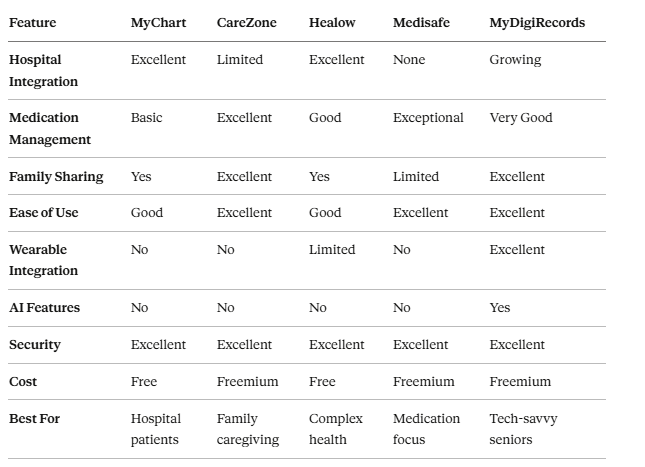
Head-to-Head Comparison: Which App Is Right for You?
How to Choose: The Decision Tree
Step 1: Ask yourself: “What’s my biggest health management challenge?”
- Medication management? → Medisafe is your answer
- Coordinating care between multiple doctors? → MyChart or Healow
- Family involvement and caregiving? → CareZone
- Want AI health insights? → MyDigiRecords
- Not sure? → Start with CareZone (it does everything reasonably well)
Step 2: Check one critical thing: Does your primary healthcare provider use this app?
If your main doctor participates in MyChart, start there. It’s friction-free. If they use Healow, same logic applies. Having automatic provider integration saves hours of manual data entry.
Step 3: Download 2-3 apps and try them for a week
The best app is the one you’ll actually use. What looks good on paper might feel clunky in practice. Spend a few days with each finalist before committing.
Setting Up Your Health Record App: The 5-Minute Getting Started Guide
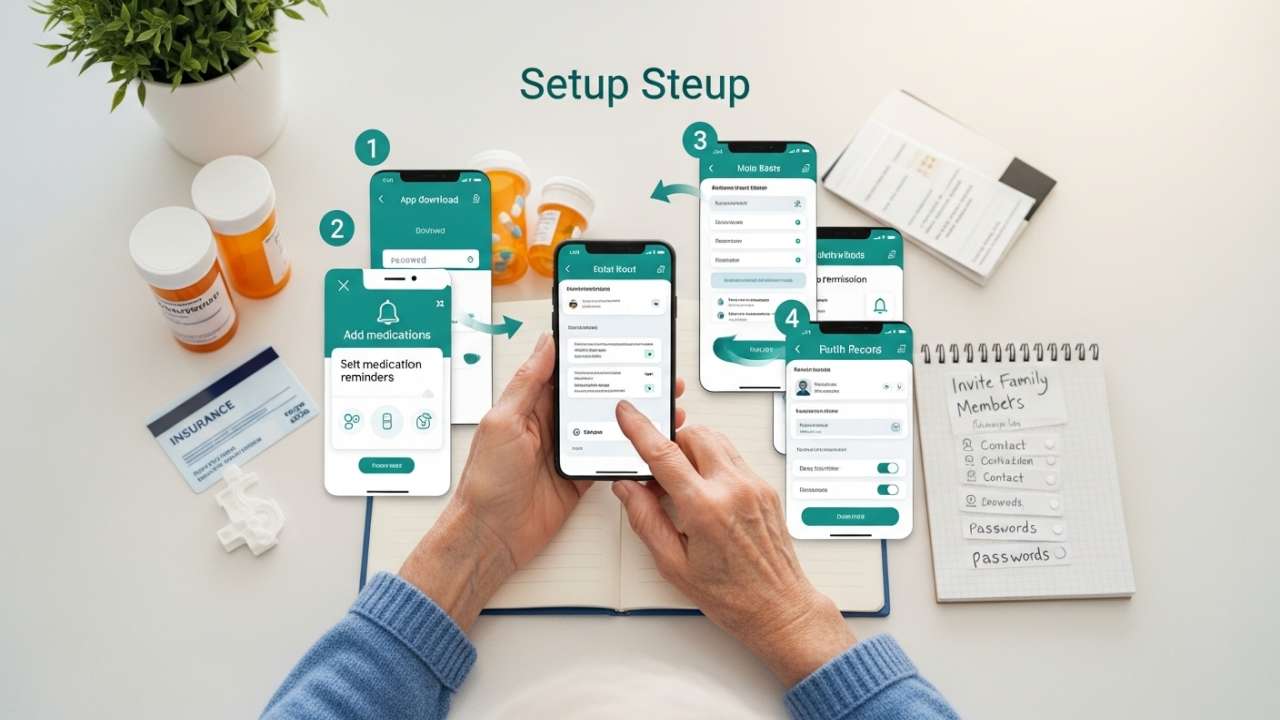
- Download and create an account (3 minutes)
- Use a strong password (mix of upper, lower, numbers, symbols)
- Enable two-factor authentication immediately
- Import your medical history (10-15 minutes)
- Start with medications (get bottles off the shelf, list every one)
- Add known allergies and medical conditions
- Add insurance information
- List current doctors and specialists
- Connect to healthcare providers (5-10 minutes, or hours if they need manual setup)
- Search for MyChart, Healow, or CareZone integration at your hospital
- Follow link, authenticate with your patient portal credentials
- Approve data sharing
- Set up medication reminders (5 minutes)
- For each medication, set exact time you take it
- Choose reminder type (push notification, SMS, email)
- Add notes if helpful (take with food, take at night, etc.)
- Add family members (2 minutes)
- Invite caregiver or family member
- Set their permission level (can they see everything or just medication adherence?)
Pro Tip: Don’t feel pressured to enter everything perfectly on day one. Start with the essentials: medications, allergies, current doctors. Add detail gradually over a week.
Privacy & Security: The Non-Negotiables
Your health information is more sensitive than your bank account. Here’s what to verify before trusting any app with your data:
The Checklist
- HIPAA Compliant: The app must explicitly state HIPAA compliance. No exceptions.
- Encryption in Transit: All data moving between your phone and servers must be encrypted
- Encryption at Rest: Data stored on servers must be encrypted (not just password-protected)
- Two-Factor Authentication: You can require more than a password to log in
- Access Control: You decide who can see what (not the company, not your family automatically)
- Clear Privacy Policy: Read it. If you can’t understand it, that’s a red flag
- Data Deletion: You can request that your data be permanently deleted if you stop using the app
- Transparency: The company discloses data breaches within 60 days (federal requirement)
Red Flags to Avoid
- The app doesn’t mention HIPAA or encryption anywhere
- Password-only login (no two-factor option)
- Privacy policy says they sell or share your data with marketing companies
- The company has a history of security breaches
- App asks for permissions it doesn’t need (like access to your contacts or photos)
- No way to control who sees your information
F&Q
Q: Will my doctor actually use this app?
A: It depends on the app. MyChart and Healow integrate with healthcare systems your doctor likely already uses. Medisafe, CareZone, and MyDigiRecords are personal apps—your doctor won’t automatically see data, but you can share your medication list, health metrics, or records when you visit.
The trend is positive. Healthcare systems are increasingly adopting patient-friendly digital tools. Your best bet: ask your doctor’s office which apps they support.
Q: Isn’t it risky to store medical information digitally?
A: Paradoxically, no. Digital health records with encryption are more secure than paper stored in a filing cabinet. A house fire destroys paper. A hacker stealing digital records from a HIPAA-compliant app faces federal prosecution. The app company has incentive to protect your data (lawsuits, federal fines, reputation destruction). Your filing cabinet has zero security.
That said, use common sense: use strong passwords, enable two-factor authentication, don’t share login credentials, and sign out when sharing your phone with others.
Q: Do I need my smartphone to use health record apps?
A: Most apps work on smartphones, tablets, and web browsers. If you don’t have a smartphone, you can still access your records on a computer. Some apps (like MyChart) have excellent web versions. Ask your healthcare provider about web access if you primarily use a computer.
Q: Can I use multiple apps at once?
A: Absolutely. Many seniors use MyChart for hospital integration, Medisafe for medications, and CareZone for family coordination. These apps don’t conflict—they handle different jobs. Just don’t duplicate data entry. Use one source of truth for each type of information.
Q: What if I want to switch apps later?
A: You can export or download your health data from most apps. The HIPAA “right of access” ensures you own your medical records. Download your data, move to a new app, and import it. No vendor lock-in.
Q: Will my insurance cover these apps?
A: Some insurance plans cover health record apps as part of preventive care. Medicare Advantage plans increasingly cover digital health tools. Check your plan details or call your insurer.
Q: What if I need help setting up?
A: Call your healthcare provider’s patient advocate or medical records department. They walk people through setup regularly. Many apps also have excellent phone support (check before downloading).
Q: Can my family member access my app without my permission?
A: No. You control who gets access and what they see. When you invite someone, you choose their permission level. You can revoke access anytime.
Q: How often should I update my information?
A: Update medications immediately when your doctor prescribes something new or discontinues something. Update medical conditions and allergies whenever they change. Review your complete health profile twice yearly. The more current your data, the more useful it is.
Q: What if I’m uncomfortable with technology?
A: Start simple. Pick one app with the easiest interface (CareZone or Medisafe has the most senior-friendly design). Ask your doctor’s office for setup help. Invite a tech-savvy family member to guide you through the first week. Technology anxiety fades once you see how useful it is.