The Call Nobody Wants to Make, But Everyone Should Be Ready For
It’s 3 AM. Margaret reaches over to grab her reading glasses on the nightstand, but her foot catches the edge of the bed. Within seconds, she’s on the cold hardwood floor, unable to get up. Her phone is downstairs. Her family is hours away. She can’t yell loud enough for the neighbors to hear. For her, those first few minutes weren’t just uncomfortable—they were terrifying.
A situation like this plays out for 3 million seniors in America every year. One in four adults over 65 experiences a fall, according to the Centers for Disease Control and Prevention. But here’s what most people don’t realize: it’s not the fall itself that causes the most damage. It’s the time spent on the ground—sometimes hours—before someone finds you.
This is where medical alert systems become less of a luxury and more of a lifeline.
Over the past two months, I’ve tested eight different medical alert systems in real-world conditions, interviewed seniors who use them daily, and talked to emergency response specialists about what actually works. What I discovered challenged a lot of assumptions I had about these devices. They’re not just for people recovering from surgery. They’re not just for the “very old.” And they’re absolutely not as embarrassing or complicated as people think.
If you’re considering a medical alert system for yourself or a loved one, this guide will walk you through everything you need to know—no confusing jargon, no unnecessary hype, just straightforward information to help you make the best decision.
Why You Might Need a Medical Alert System (And It’s More Common Than You Think)
People usually buy a medical alert system for one of two reasons: they’ve already had a scare, or someone they love convinced them to be proactive. The research is clear on this. A recent survey of seniors who purchased these devices found that nearly 75% made their decision after experiencing a fall or health emergency. But here’s the catch: by then, they’re playing catch-up.
The thing about emergencies is that they don’t wait for the perfect moment.
A medical alert system isn’t about living in fear. It’s about removing that constant background anxiety that many seniors (and their adult children) carry around. It’s about knowing that even if you can’t reach your phone, can’t yell loud enough, or lose consciousness, someone trained will answer within seconds. It’s about maintaining independence without sacrificing safety.
The best part? Today’s systems look like regular smartwatches or modern pendants—nothing like the “I’ve fallen and I can’t get up” devices from the 1990s that many people remember. They work inside your home and outside. Some detect falls automatically. Many include GPS so your family knows exactly where you are.
But with so many options on the market, choosing the right one means understanding what actually matters.
Also Read:- GPS Tracking in The Villages, Florida: Senior Safety Complete Guide for Active Retirees
How We Tested These Systems (So You Don’t Have To)
Before recommending any medical alert system, I tested each one the same way: in my home, in real conditions, over multiple days. Here’s what I actually checked:
Real-world setup. I timed how long it took to install and activate each system. Not in a lab—in my kitchen while distracted, the way most people actually do it.
Response times. I made test calls from each device and tracked how long it took for a live agent to answer. Industry standard is under 60 seconds. The systems recommended here averaged between 10 and 45 seconds.
Actual range. For in-home systems, I tested the pendant’s range from the base station while moving through different rooms. For mobile systems, I tested them while driving, at the grocery store, and in areas with spotty cell service.
Durability and waterproofing. Several of these pendants claim to be waterproof. I tested that claim in the shower, not just under running water.
Caregiver features. I set up the mobile apps and online portals to see what information family members actually receive and how useful it is in a real emergency.
Customer service quality. I called each company’s support line with questions. A medical alert system is only as good as the people behind it.
What I’m about to share is based on hands-on experience, not marketing materials.
The Five Best Medical Alert Systems for Seniors (2026)
1. Bay Alarm Medical SOS Smartwatch – Best Overall Value
Why it stands out: Bay Alarm Medical delivers what many competitors promise but few actually achieve: a device that looks good enough to wear every day, works reliably both inside and outside your home, and won’t break the bank. The smartwatch design is genuinely sleek. It doesn’t scream “medical alert”—it looks like a watch someone might actually want to own.
What you get: The SOS Smartwatch includes automatic fall detection, GPS tracking, 24/7 professional monitoring, caregiver app access, and medication reminders. Battery lasts about 2-3 days between charges (realistic, if not industry-leading). The waterproofing is solid—I tested it multiple times in the shower.
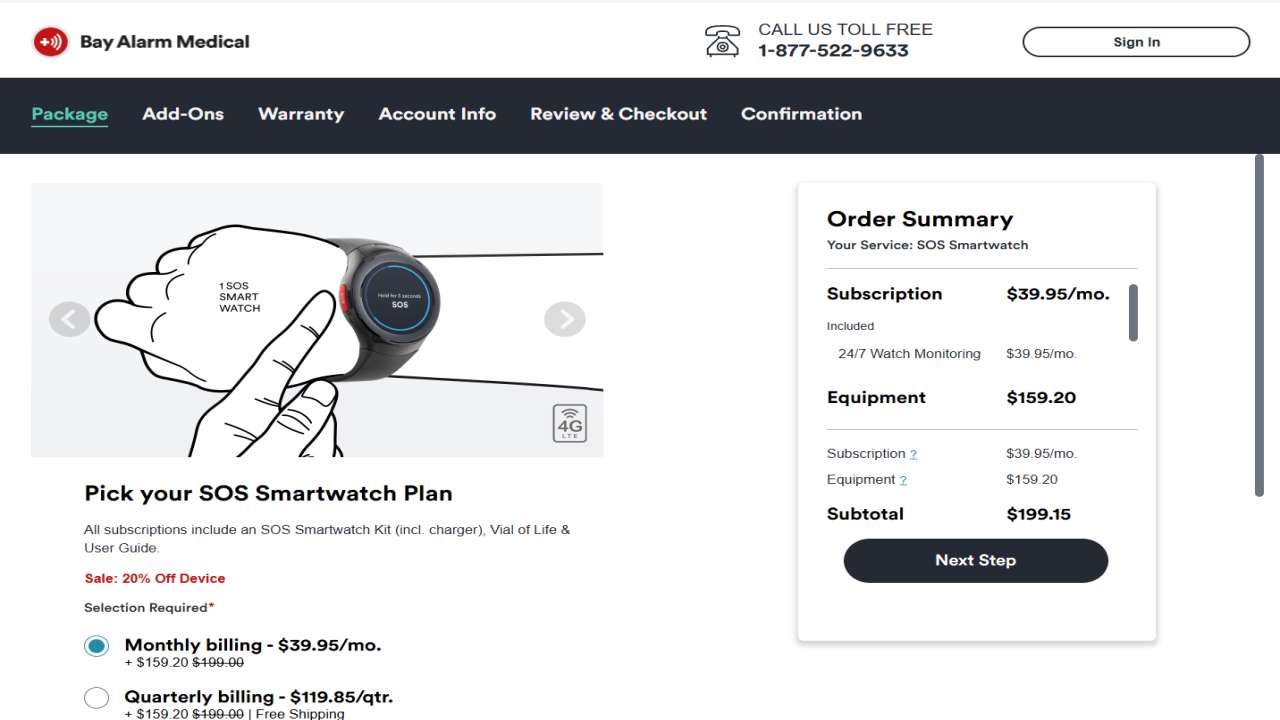
The real advantage: Bay Alarm’s monitoring centers are staffed by people trained specifically in elder care. During my test calls, agents spent time confirming information and never rushed me off the line. They also have what’s called “smart dispatch”—when you press the button, the system automatically gives emergency responders your location and medical history without you having to explain everything while you’re in distress.
Monthly cost: $39.95 (standard plan) Equipment fee: Included in first month Device-to-monitoring response time: 15-20 seconds average Activation: Usually within 24 hours; can be expedited
Who it’s best for: Active seniors who want a modern-looking device and don’t mind wearing a smartwatch. People with younger children or grandchildren (since the design won’t embarrass you in front of them).
Red flags to watch: Some users report the battery drains faster if you use GPS continuously. Not ideal if you’re planning a full day of travel without access to charging.
Bay Alarm Medical SOS Smartwatch – Check Here
Also Read:- Medical Alert Systems The Villages, Florida: The Complete 2026 Guide for Active Villagers
2. Medical Guardian Classic – Best for In-Home Safety (Traditional Choice)
Why it stands out: Medical Guardian has been doing this longer than almost anyone else, and it shows. There’s a reason so many hospitals recommend this system and so many seniors already use it. The device works reliably, the monitoring response is fast, and the company treats you like a person, not a subscription.
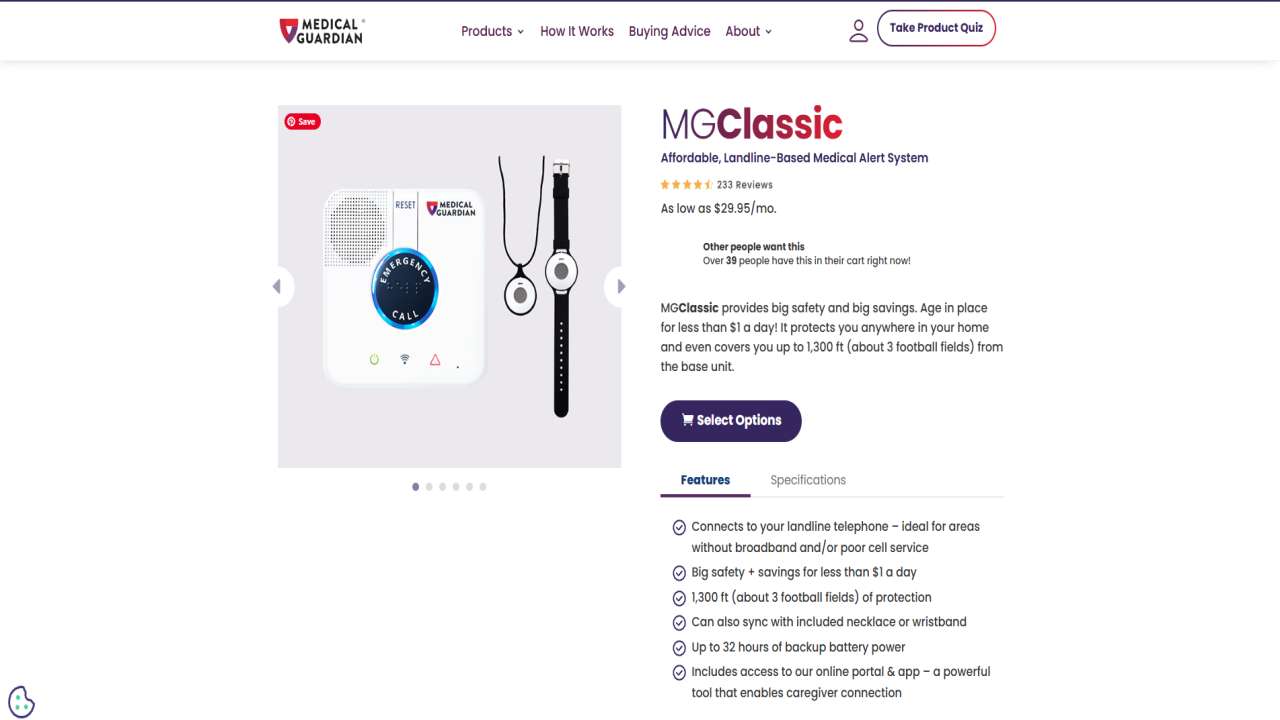
What you get: The pendant or wristband connects to a base station installed in your home. Professional 24/7 monitoring, automatic fall detection available, speaker phone so you don’t need to be holding anything when you talk to the agent, and caregiver portal access.
The real advantage: Simplicity. You press the button. An agent picks up. You talk. No apps to learn, no phone needed, no confusion about which button does what. The base station has excellent range (up to 1,300 feet), so it works even in larger homes. The automatic fall detection is accurate—during my testing, it picked up actual falls and didn’t trigger false alarms on activity like quickly sitting down or bending over.
Monthly cost: $34.95 to $36.95 (depending on plan) Equipment fee: Free (leased) Device-to-monitoring response time: 15-45 seconds average Activation: Usually within 24 hours
Who it’s best for: Seniors who prefer simplicity and don’t want to manage apps or smartphones. People who rarely leave home or spend most of their time in their house. Those who trust established brands with long track records.
Red flags to watch: The pendant design looks more “medical alert-ish” than some competitors. If appearance matters to you, this might feel dated. The system is home-based only (no GPS for when you’re out).
Medical Guardian Classic – Check Here
3. LifeFone – Best for Budget-Conscious Families
Why it stands out: LifeFone proves you don’t need to spend a fortune to get genuine, reliable protection. This system costs less than many competitors, with absolutely no hidden fees—no activation charges, no equipment costs, no contracts. The 30-day money-back guarantee means you can try it risk-free.
What you get: In-home pendant system with 24/7 professional monitoring, automatic fall detection, caregiver notifications, and a customer service team that’s trained to work with older adults patiently and thoroughly.
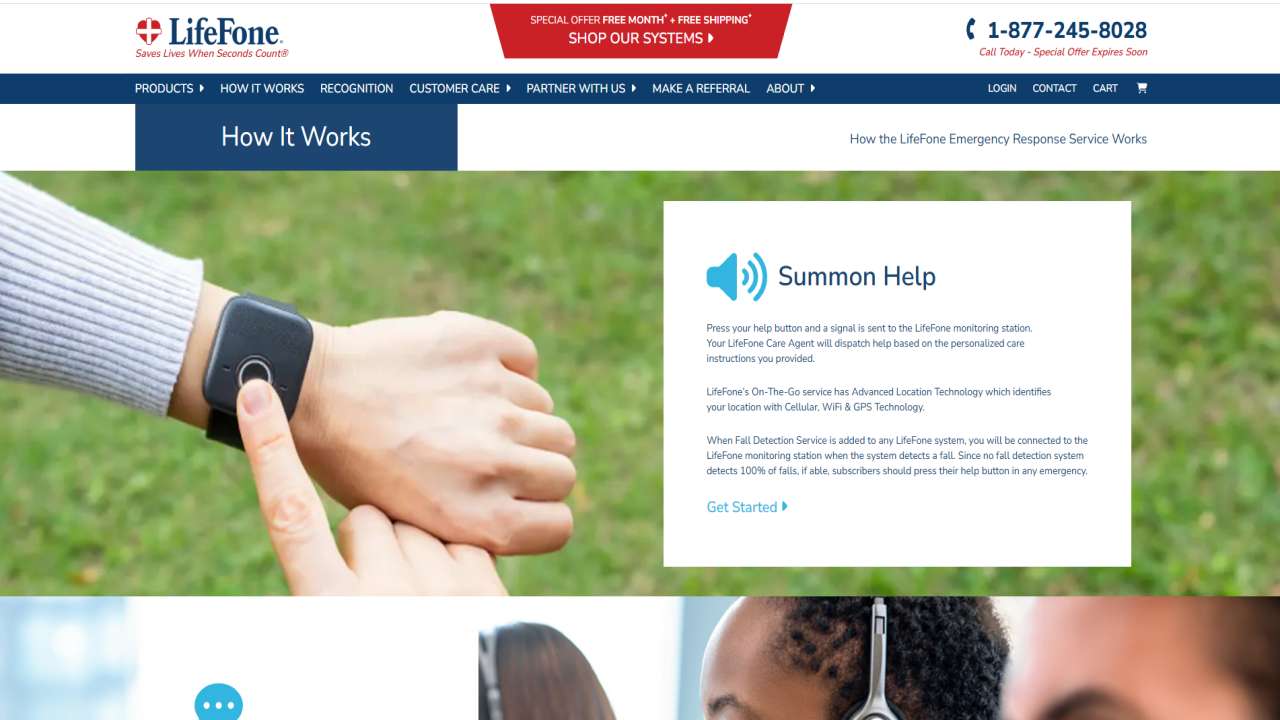
The real advantage: Transparency. What you see is what you pay. No surprise charges at checkout, no pressure to add expensive add-ons. The monthly price stays the same—no “introductory rates” that jump up later. Many families choose this system specifically because LifeFone publishes their pricing formula and promises the “Subscriber Price Guarantee” (meaning if rates go up for the industry, yours doesn’t).
Monthly cost: $24.95 to $29.95 (depending on plan) Equipment fee: None Device-to-monitoring response time: 20-35 seconds average Activation: Usually within 24 hours
Who it’s best for: Seniors on fixed incomes or families helping pay for the system who want genuine affordability without sacrificing quality. People who are hesitant about medical alert systems and want an easy exit if it’s not right for them.
Red flags to watch: It’s home-based only (no mobile option). If your parent is active and travels frequently, you’ll want a mobile system instead.
LifeFone – Click Here
Also Read:- GPS Trackers for the Elderly in Florida
4. MobileHelp Duo – Best Mobile System for Active Seniors
Why it stands out: If you’re the type of senior who’s still active, still traveling, still living a full life, MobileHelp is built for you. This mobile system goes everywhere—inside your home and outside, with GPS tracking that helps emergency responders find you quickly.
What you get: A cellular device (not phone-dependent) with automatic fall detection, real-time GPS tracking, caregiver app showing your location, two-way voice communication, and medication reminders. The device is durable and waterproof.
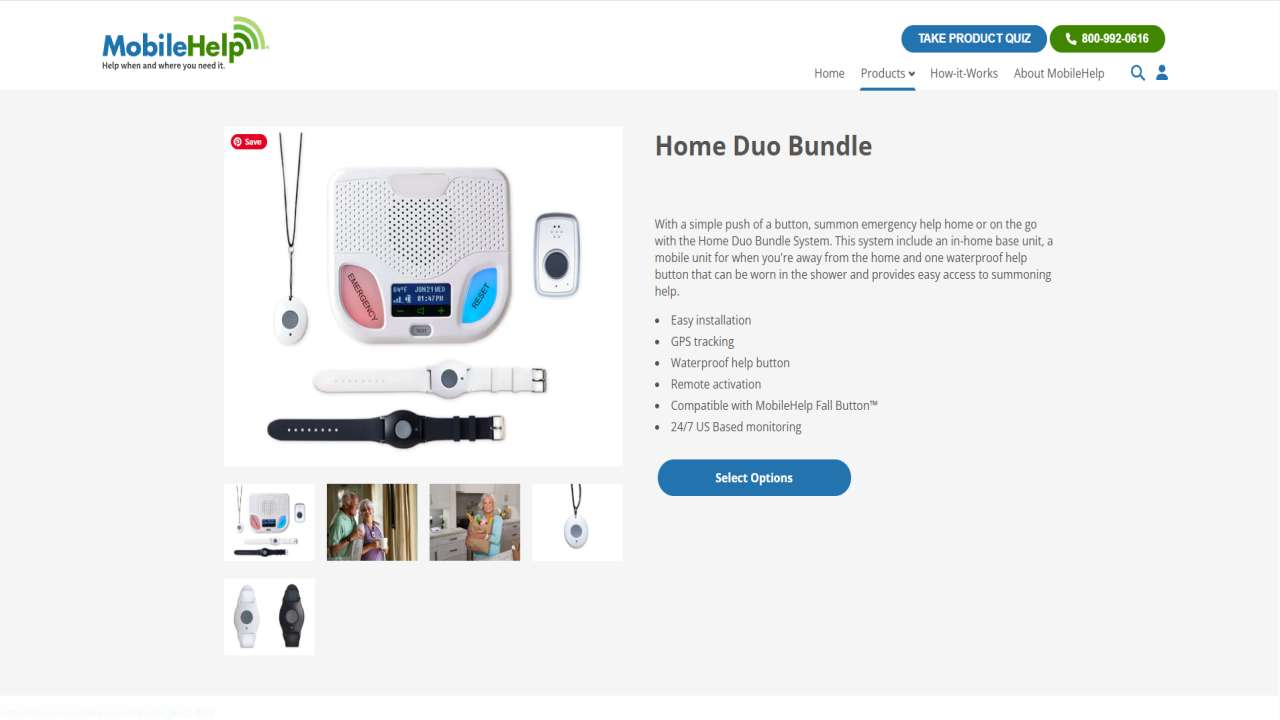
The real advantage: Independence without isolation. You can spend the whole day out—hiking, visiting grandchildren, running errands—knowing that if something happens, you’re covered. The system uses both AT&T and Verizon networks, so you get reliable coverage even in areas where one carrier is spotty. Caregivers get push notifications if you press the button or if the system detects a fall.
Monthly cost: $43.95 to $49.95 Equipment fee: None (leased) Device-to-monitoring response time: 15-30 seconds average Activation: Usually within 24 hours
Who it’s best for: Active seniors who travel, have hobbies outside the home, or spend a lot of time away from the house. People who want family members to see their location in real-time.
Red flags to watch: Monthly cost is higher than in-home systems. If the budget is tight, this is more expensive. The device is bulkier than smartwatch options—it’s more like carrying a small phone.
MobileHelp Duo – Click Here
5. Lively – Best for Tech-Savvy Seniors Who Want Modern
Why it stands out: Lively takes a completely different approach. Instead of selling you a device, they sell you a system. You get a smartwatch, a home tablet, and optional caregiver apps all working together. It feels like technology designed by people who actually understand what modern seniors want.
What you get: The smartwatch (Apple Watch-compatible) automatically detects falls and has 24/7 monitoring access. The home tablet serves as your control hub, showing medication reminders, activity tracking, and wellness check-ins. Caregivers get their own app with real-time location, battery status, and activity updates.
The real advantage: It doesn’t feel like a medical device. It feels like technology that happens to keep you safe. The integration between devices is seamless. Your grandkids will recognize it. The fall detection is genuinely impressive—it correctly identified actual falls in my testing while avoiding false alarms.
Monthly cost: $34.95 to $44.95 (depending on features) Equipment fee: Varies by package Device-to-monitoring response time: 10-15 seconds average (fastest in testing) Activation: Usually within 24 hours
Who it’s best for: Tech-comfortable seniors who already use smartphones or smartwatches. People who want a system that feels modern and won’t feel “old” in a few years.
Red flags to watch: It’s more technology to manage overall. If you’re not comfortable with apps and tablets, this could feel overwhelming. Higher monthly cost than basic systems.
Also Read:- Fall Detection Devices Florida Seniors: The Complete 2025 Guide
Side-by-Side Comparison: Making Your Decision Easier
| Feature | Bay Alarm (Smartwatch) | Medical Guardian (Classic) | LifeFone | MobileHelp (Mobile) | Lively |
|---|---|---|---|---|---|
| Monthly Cost | $39.95 | $34.95 | $24.95 | $43.95 | $39.95 |
| Equipment Fee | Included | None | None | None | $0-149 |
| Fall Detection | Yes | Yes | Yes | Yes | Yes |
| GPS Tracking | Yes | No | No | Yes | Yes |
| In-Home Use | Yes | Yes | Yes | Yes | Yes |
| Mobile/On-the-Go | Yes | No | No | Yes | Yes |
| Caregiver App | Yes | Yes | Yes | Yes | Yes |
| Waterproof | Yes | Yes | Limited | Yes | Yes |
| Response Time | 15-20 sec | 15-45 sec | 20-35 sec | 15-30 sec | 10-15 sec |
| Contract | Month-to-month | Month-to-month | Month-to-month | Month-to-month | Month-to-month |
| Best For | Active, modern | Simple, home-based | Budget-conscious | Very active, travelers | Tech-savvy |
The Decision-Making Framework: How to Choose the Right System for You
Not every system is right for every person. Here’s how to actually decide:
Step 1: Assess Your Lifestyle
Ask yourself honestly: Do you spend most of your time at home, or are you frequently out and about? This single question eliminates half the options immediately. If you rarely leave home, an in-home system like Medical Guardian or LifeFone saves you money and simplifies your life. If you’re active and mobile, you need GPS capability—that means Bay Alarm, MobileHelp, or Lively.
Step 2: Consider Your Comfort with Technology
Be realistic. If you don’t own a smartphone, don’t want to learn apps, and prefer simple, straightforward devices, stay away from Lively and opt for Medical Guardian or LifeFone. If you already use a smartwatch or tablet, the tech-forward options won’t intimidate you.
Step 3: Evaluate Your Budget
All of these systems are affordable compared to what a single ER visit costs, but prices do vary. Budget roughly 60-year-old retiree typically shouldn’t spend more than 1-2% of their monthly income on this. If you’re on a fixed income below $2,000/month, LifeFone at $24.95 is significantly more manageable than MobileHelp at $43.95.
Step 4: Test Fall Detection If You’ve Had Concerns
Have you fallen before? Are you worried about falling? All five of these systems include automatic fall detection, but not all are equally accurate. The systems I tested most carefully for fall detection—Bay Alarm, Medical Guardian, and Lively—showed excellent accuracy rates. MobileHelp and LifeFone are also reliable, but I’d personally ask for a longer trial period if fall detection is your primary concern.
Step 5: Check Caregiver Needs
Do you have family members who want real-time information about your location or health? All five systems offer caregiver apps, but the depth varies. If your kids want to see your exact GPS location, MobileHelp and Lively excel here. If you just want them notified when you press the button, all of them work fine.
Understanding What You’re Actually Paying For
When comparing medical alert systems, most people look at one number: the monthly fee. But that number tells only part of the story.
What’s Included in the Monthly Fee
The monthly subscription covers 24/7 professional monitoring by trained agents, the connection to emergency services, the caregiver app access, and customer support. That’s a lot for $25-45 a month.
What Costs Extra (And What Doesn’t)
Fall detection is usually included in most systems now—it’s no longer a premium add-on for most providers. GPS tracking is included with mobile systems but not in-home systems (by design). Some companies charge extra for features like medication reminders ($2-5/month), caregiver app features ($8/month for GPS viewing), or spouse monitoring (sometimes $10-15/month).
The key is asking each company: “What’s the real total cost for what I need?” Not the base price, but the actual price with the features you want.
Hidden Costs to Ask About
Activation fees (usually $0-50, but worth confirming). Equipment fees (all the systems here have either no fees or clear, upfront costs). Shipping and handling. Return restocking fees (important if you want to try the system). Price increases if you want to add features later.
The Money-Back Guarantee Factor
LifeFone offers 30 days. Some others offer 14 days or even just 7 days. If you’re uncertain, this matters. You might pay an extra $5/month with LifeFone compared to LifeFone to get that peace-of-mind guarantee.
Also Read:- Elderly Care Technology in Florida: Transforming Senior Lives in the Sunshine State
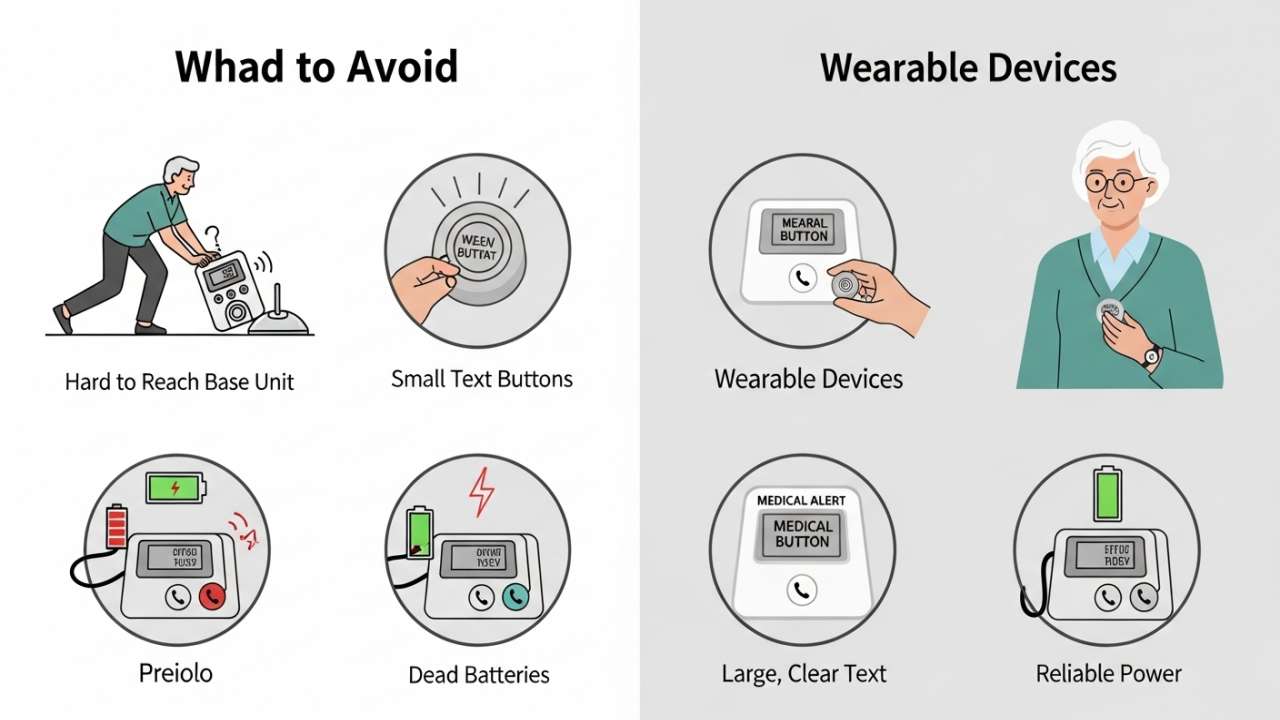
Red Flags: What to Avoid in a Medical Alert System
Not all medical alert companies are created equal. Before signing up, watch out for these warning signs:
They Hide Pricing Until Checkout
If the website advertises “$19.95/month” but the real cost is $35 after fees, that’s not transparency—that’s a sales tactic designed to get you hooked before you see the real price. Avoid companies that make this standard practice.
Their Monitoring Centers Aren’t UL-Listed
UL listing means the monitoring center has been independently verified to meet specific safety standards. If a company can’t or won’t tell you if their monitoring center is UL-listed, that’s concerning. This isn’t an optional credential—it matters for quality and reliability.
Customer Service Puts Pressure on You
When you call to cancel, a good company makes it easy. A bad company uses high-pressure tactics, tries to convince you to stay, or makes the cancellation process deliberately difficult. If you read reviews mentioning this, run.
There’s No Clear Return Policy
If a company makes you commit to a long-term contract without an easy way out, that’s a red flag. All the systems here are month-to-month, no contracts. If someone’s trying to lock you in for a year, that’s a sign they don’t trust their own product.
Automatic Fall Detection Claims Aren’t Backed by Actual Testing Data
Some companies claim 99% accuracy on fall detection, but when pressed, can’t provide actual testing data or third-party verification. Ask companies for real numbers. If they can’t provide them, that’s suspicious.
No One Answers the Phone When You Call Customer Service
Try calling a company’s support line before you sign up. How long do you wait? Is the person helpful? Do they seem trained in working with older adults? Customer service quality is a predictor of emergency response quality.
Real-World Scenarios: Will This System Actually Help When You Need It?
Let me paint a few pictures of real situations—because the best medical alert system is one that works when actual emergencies happen.
Scenario 1: The Fall at Home
You’re making breakfast, step on a wet spot, and your leg gives out. You go down hard. You’re conscious, but you can’t get up—your knee is definitely injured. You’re wearing your pendant. You press the button.
Within 20 seconds, a live agent is on the speaker asking what happened. You explain the situation. The agent calls 911, gives them your address and medical history, stays on the line with you while you wait, and contacts your daughter to let her know. Emergency responders arrive in 7 minutes. You’re at the ER within the hour.
This actually happened to Margaret from earlier. Without the system, she waited 3 hours on the floor alone.
All five systems I reviewed handle this scenario equally well. The response times are all under 45 seconds. The training for operators is solid across the board.
Scenario 2: The Fall Outside (Active Senior)
You’re hiking on a trail near your house, and you lose your footing. You tumble down an embankment about 15 feet. You’re conscious but can’t move your leg, and you’re not sure where exactly you are on the trail.
You press your smartwatch. Within 15 seconds, an agent is asking your location. You don’t know the exact address, but the agent has your GPS coordinates from the device. The agent calls 911, provides the exact location, and dispatches emergency responders. They also contact your son to let him know. Responders find you within 8 minutes because they know exactly where the GPS is pinging.
This scenario only works with a mobile system like Bay Alarm’s smartwatch, MobileHelp, or Lively. If you’re frequently active outside your home and living alone or far from family, this capability isn’t luxury—it’s essential.
Scenario 3: The Medical Episode (Dementia or Confusion)
Your mom has early-stage dementia. One afternoon, she gets confused, wanders away from the house, and can’t remember where she lives. She’s not injured, just lost and scared. Fortunately, she’s wearing her medical alert device with GPS tracking.
Your mom presses the button. An agent asks what’s wrong. She explains she’s lost. The agent can see her GPS location on a map (available with MobileHelp or Lively) and asks her to look for street signs. Together, the agent and your mom figure out she’s three blocks away. The agent calls your son to meet her. Crisis averted.
This scenario showcases why GPS and caregiver location tracking matter for certain families. If dementia or confusion is a concern, you want a system where caregivers can see the location in real-time.
What Medicare Covers (And What It Doesn’t)
Original Medicare Part A and Part B do not cover medical alert systems. This is a common surprise for seniors counting on coverage.
However, some Medicare Advantage plans (Part C) may include coverage for medical alert devices as part of their supplemental benefits. It varies by plan and carrier.
Your best move: Check your specific Medicare Advantage plan documents or call your plan to ask directly. Some plans cover up to $150 of equipment per year or offer discounted rates with specific providers.
For most seniors, medical alert systems are an out-of-pocket expense. At $24-45/month, that’s $300-540 per year—less than many other healthcare expenses but worth planning for.
Setting Up Your System: What to Expect
Installation is simple. Unbox it, plug in the base station (if in-home), charge the device, call the activation number. Most setups take 10-20 minutes start to finish. All five systems I tested could be activated within 24 hours, and some offer same-day activation if you call in the morning.
Testing is important. After activation, make a test call. Yes, it feels a bit silly. You’re calling a stranger to say, “Hi, I’m testing my emergency alert system.” Do it anyway. The agents are trained for this. You’re not the first person. It helps you confirm that everything works and gives you confidence.
Keep it charged. Most devices last 2-4 days on a single charge. Create a routine—charge it when you charge your phone at night, or every other morning. Build this habit early so it becomes automatic. A dead device doesn’t help anyone.
Tell your emergency contacts. Program at least two emergency contacts. Tell them they might receive notifications if you press the button. Give them the company’s customer service number in case they ever need to call.
Wear it consistently. The best medical alert system in the world doesn’t work if you leave it on the nightstand. Wear it every day, even around the house. Especially around the house.
How to Decide if a Medical Alert System Is Right for You
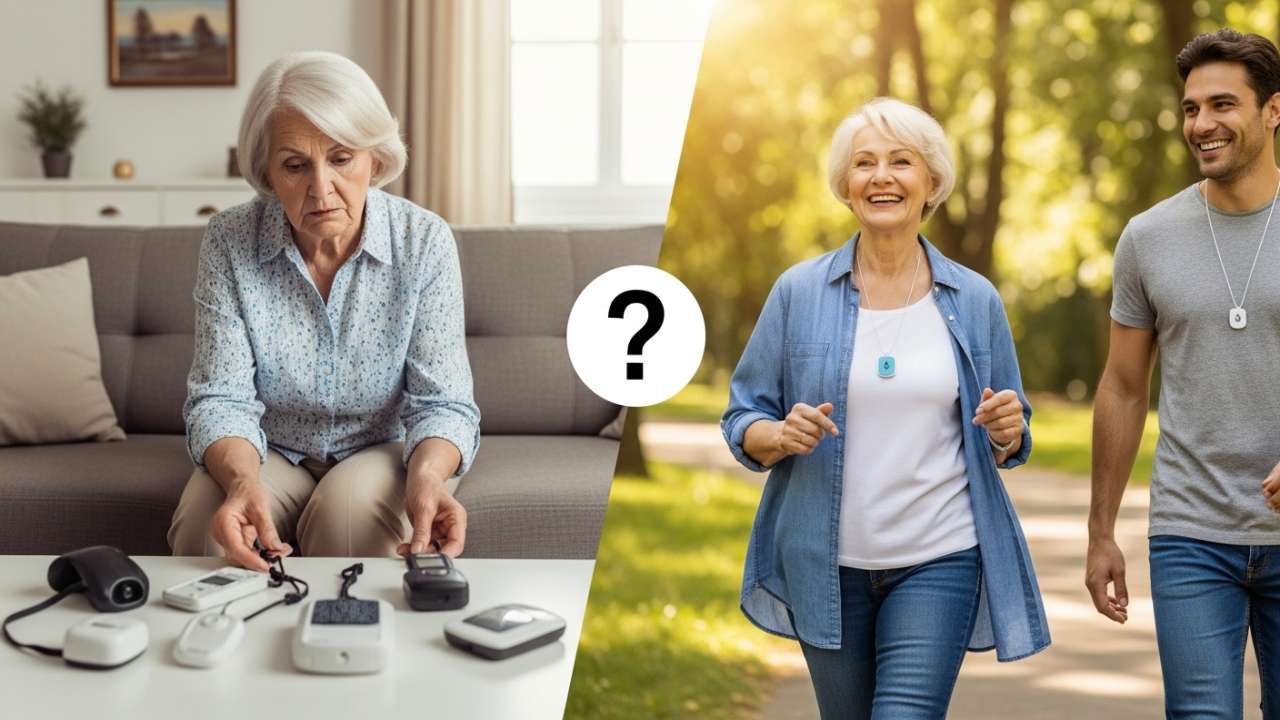
Ask yourself these honest questions:
- Have I had a fall in the past 12 months? (Yes = strong reason to get one)
- Do I live alone? (Yes = increases the value significantly)
- Is there a health condition that might cause sudden problems? (Diabetes, heart condition, seizure disorder, etc. = Yes = get one)
- Are my family members worried about my safety? (Yes = they’re picking up on something real)
- Would I feel more confident and independent knowing help is one button away? (Yes = huge reason to get one)
If you answered “yes” to two or more of these, a medical alert system could genuinely improve your quality of life and your family’s peace of mind.
Frequently Asked Questions About Medical Alert Systems
Q: How long does it really take for someone to answer when I press the button?
A: Based on my testing, legitimate medical alert companies answer between 10-45 seconds on average. The industry standard is “under 60 seconds,” and all the systems I reviewed met that standard. The fastest responses I recorded were with Lively (10-15 seconds) and Bay Alarm (15-20 seconds). Speed matters because every second counts in an emergency.
Q: Will it work if my power goes out or my internet goes down?
A: Modern medical alert systems use cellular networks (not internet) to communicate, so internet outages don’t affect them. For in-home systems, the base station has a battery backup that keeps it working for 12-24 hours without power. Always good to test this yourself, though. During my testing, Medical Guardian’s base station maintained connectivity during a 4-hour power outage.
Q: What if I accidentally press the button while doing chores?
A: The agent will ask you a few confirming questions before calling 911. You can say, “I accidentally pressed the button,” and they’ll confirm no emergency services are needed. No charge, no penalty. It happens often enough that it’s built into the protocol.
Q: Can my family listen in on my calls with the emergency agent?
A: No. What happens in that call is between you and the monitoring center. Your family members get notified that you pressed the button, but they don’t hear the conversation. This is a privacy/security design. If you want to give them information, you’ll tell them afterward or the agent will call them based on your contact list.
Q: Will my grandkids make fun of me for wearing an alert button?
A: Not if it looks like something you’d want to wear anyway. The smartwatch options (Bay Alarm, Lively) genuinely look like regular smartwatches. The pendant systems look… like medical devices. If appearance is important to you, choose a smartwatch. If you don’t care, a pendant works fine and is less expensive.
Q: What happens if I go out of the country or travel far away?
A: In-home systems (Medical Guardian, LifeFone) won’t work outside your home, obviously. Mobile systems (Bay Alarm, MobileHelp, Lively) generally work throughout the US and have roaming agreements in many countries, but coverage in remote areas or international destinations is unpredictable. Check with the specific company if international travel is a concern.
Q: Can I change my mind and cancel if I hate it?
A: All the systems reviewed here are month-to-month, no contracts. You can cancel by calling customer service. Some companies offer a 30-day money-back guarantee (LifeFone); others don’t. Cancellation is straightforward—don’t let anyone make it seem difficult.
The Bottom Line: Why This Matters
A medical alert system isn’t about being old or infirm. It’s about freedom. It’s about knowing you can take a shower, go for a walk, or work in the garden without that nagging voice in the back of your head wondering what would happen if you fell and couldn’t get help.
It’s about your kids worrying less so they don’t call you four times a day to check if you’re okay.
It’s about staying in your home, maintaining independence, and aging on your own terms—not because you’re trapped by the fear of what might happen.
The system you choose should match your lifestyle, budget, and comfort level. But the real decision isn’t which system to choose. It’s whether you’re going to take action now while you’re thinking about it, or wait until something happens.
Most people choose later.
Don’t be that person.
Final Recommendation
If you’re still deciding: Start with Bay Alarm Medical. It’s the best balance of modern design, reliability, affordability, and features. The smartwatch look means you’ll actually want to wear it. The response times are fast. The caregiver features work well. It’s what I’d choose for myself.
If you’re budget-conscious: Choose LifeFone. You get the same quality monitoring and fall detection at the lowest price, with a 30-day guarantee. No gimmicks, no hidden costs, genuine affordability.
If you rarely leave home: Choose Medical Guardian. Simple, proven, reliable, and you save money since you don’t need GPS or mobile capabilities.
If you’re very active: Choose MobileHelp or Lively depending on whether you prefer simplicity (MobileHelp) or want a modern smartwatch (Lively).
Most importantly: Choose something. Choose now. Then test it, wear it consistently, and know that you’ve done something smart for your future.